Overview
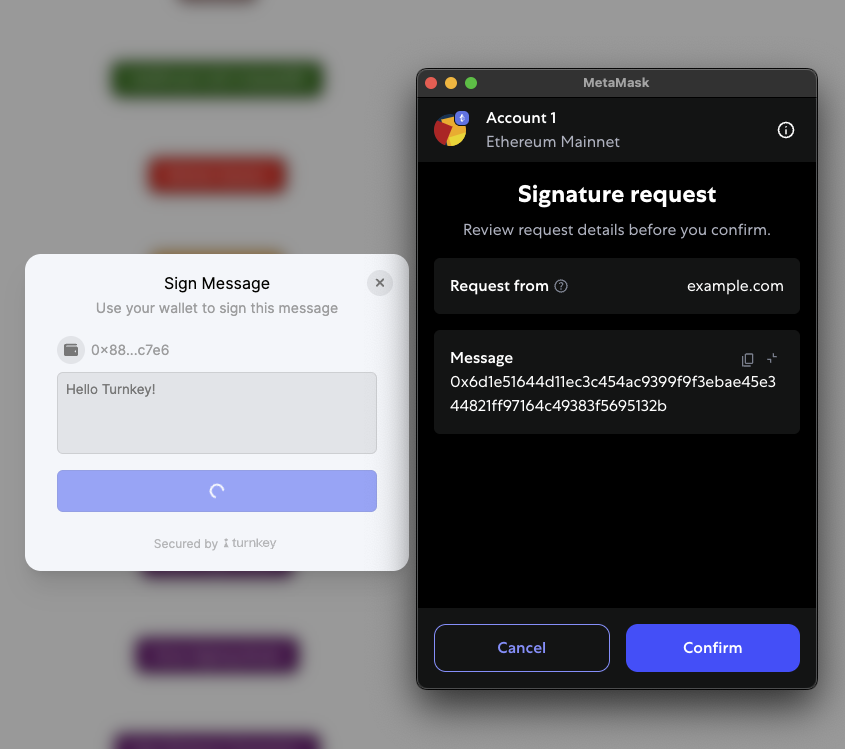
The Embedded Wallet Kit provides a simple way to sign messages and transactions in your React application. You can use Turnkey’s Embedded Wallets or an external wallet for signing.Signing messages
To sign messages, you can use thesignMessage function from the useTurnkey hook. You can grab the wallet account you want to use from the wallets array in the useTurnkey hook.
With a modal
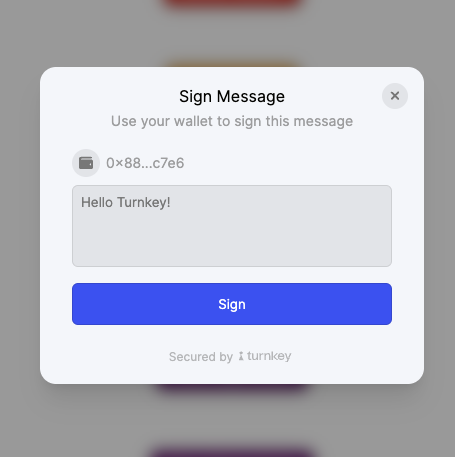
If you want to show a modal for signing messages, you can use thehandleSignMessage function from the useTurnkey hook. This will automatically show a modal with the message to sign.
Signing transactions
To sign transactions, you can use thesignTransaction function from the useTurnkey hook. Similar to signing messages, you can grab the wallet account you want to use from the wallets array.
Using a linked external wallet
You can use external wallets like MetaMask to sign messages and transactions. The samesignMessage, handleSignMessage or signTransaction functions can be used. You simply need to pass in the external wallet’s walletAccount object from the same wallets array.
You can check if the wallet is an external wallet by checking the source property of the wallet object: